
Learning about service and parameter abuse on ROS2
The next topic I’m about to study is service and parameter abuse. When I’m studying this I was confuse between topic and service and parameter and how they differ from each other. I end up searching this and found out that Topic is a many-to-many broadcast where a publisher throws a message onto a named channel and forgets. Anyone subscribe to it, receives them while the publisher gets nothing back. It does not know who listens and does not wait. That is why the ideal use case for this is for data streaming such as camera feed.
Next is the service, a one-to-one request/response. A client sends a request to exactly one server and blocks waiting for a reply. Its like, one call, one answer, then done. Just like asking for “What’s the value of X” then it computes and answer back. Mostly ideal for computational request or state changes like compute path planning or reset sensor.
Lastly is the parameter, which is delivered over services. It is not a peer of service or topic rather it is a layer of state that is access through service mechanism like get_parameters, set_parameters, list_parameters.
Now that I get it out of the way, I started studying how does service and parameter is being abuse. First I run the command, ros2 service list to list all the services that is active and advertised on my network at the moment.
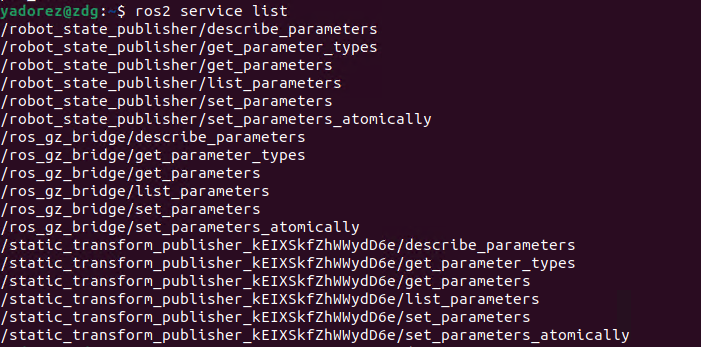
Now that we are able to see the list of active service, we needed to filter or remove the common standard parameter service that ROS2 auto generates. To do that, we need to run ros2 service list again but this time, we filter out the output using grep grep -vE 'get_parameters|set_parameters|list_parameters|describe_parameters|get_parameter_types|get_type_description'. We need to do this so that we can check for a custom service that is worth attacking.

Unfortunately for me, there is no custom service that is active. But if ever there is one, a next good thing to do is run the command ros2 service list -t to show the services types.
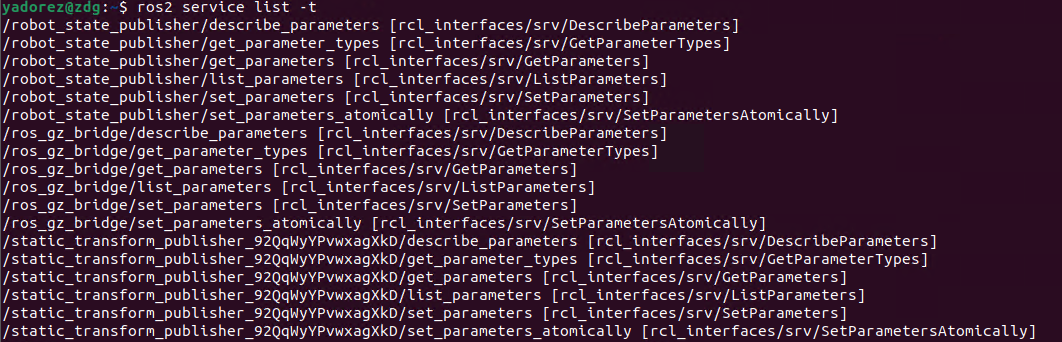
Once we are able to see the service type, we can now run the command ros2 interface show <service_type> to know what request field to send and what response field to expect.
Here, I run the command for the type of service /robot_state_publisher/list_parameters.
##Calling a Service
Since there is no custom service that I can try for the bcr_bot. I opted to still use the /robot_state_publisher/list_parameters. To do this the syntax is ros2 service call <service> <type> <yaml args> so for me, it woud be ros2 service call /robot_state_publisher/list_parameters rcl_interfaces/srv/ListParameters "{}".

So the result just display every parameter in the node, it is just like running ros2 param list but the hard way.
##Parameter Recon
Next thing I need to do now is to perform parameter reconnaisance simply by running the command ros2 param list. For this one, the robot_state_publisher holds the entire robot URDF as a parameter called robot_description you can confirm it by running the command ros2 param list /robot_state_publisher.
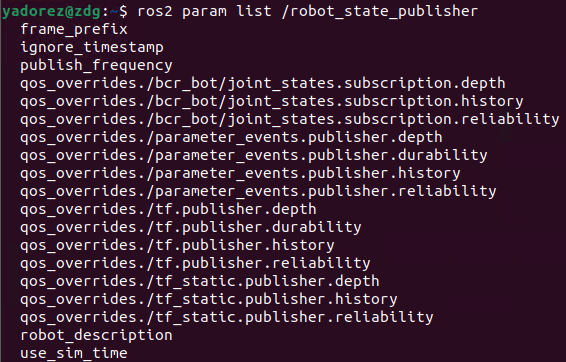
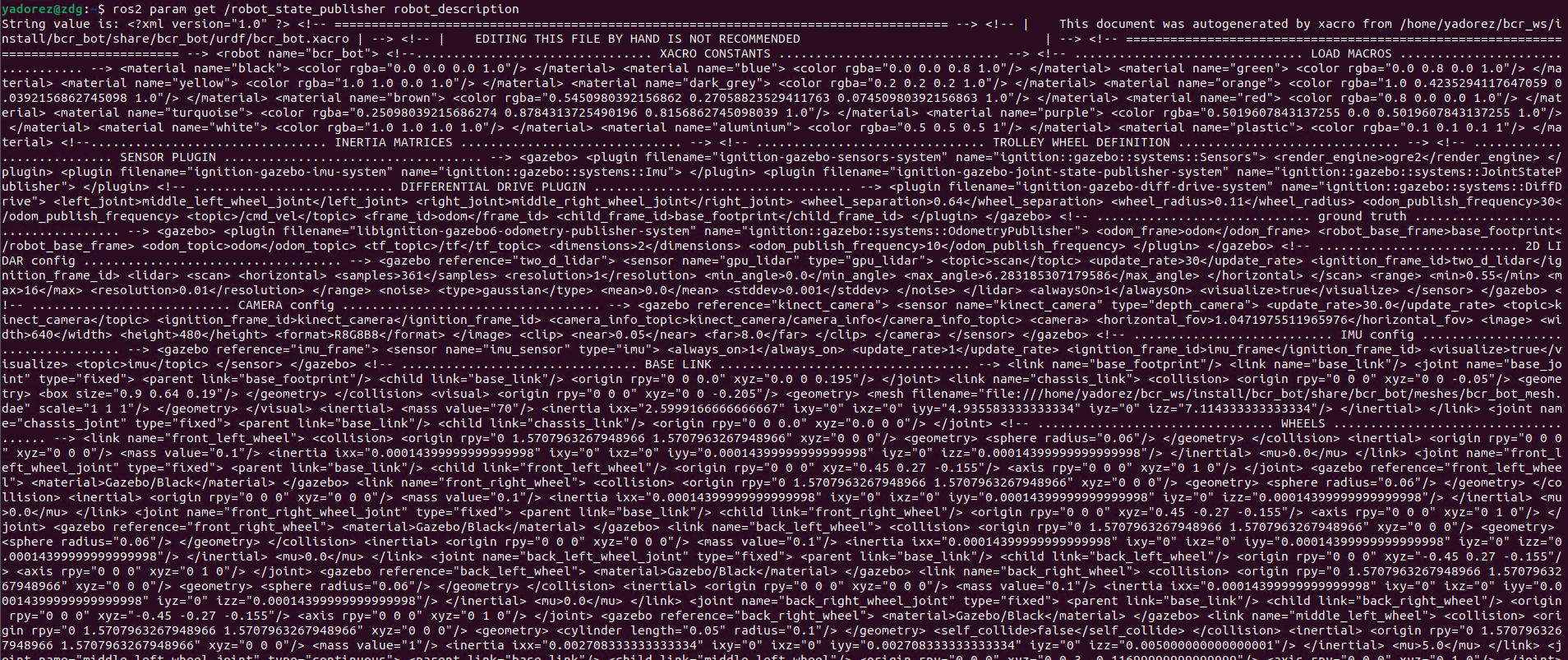
We can now extract the URDF using the command ros2 param get /robot_state_publisher robot_description.
Another comamnds we can use to perform parameter recon is ros2 param dump /robot_state/publisher and ros2 param describe /robot_state_publisher publish_frequency.
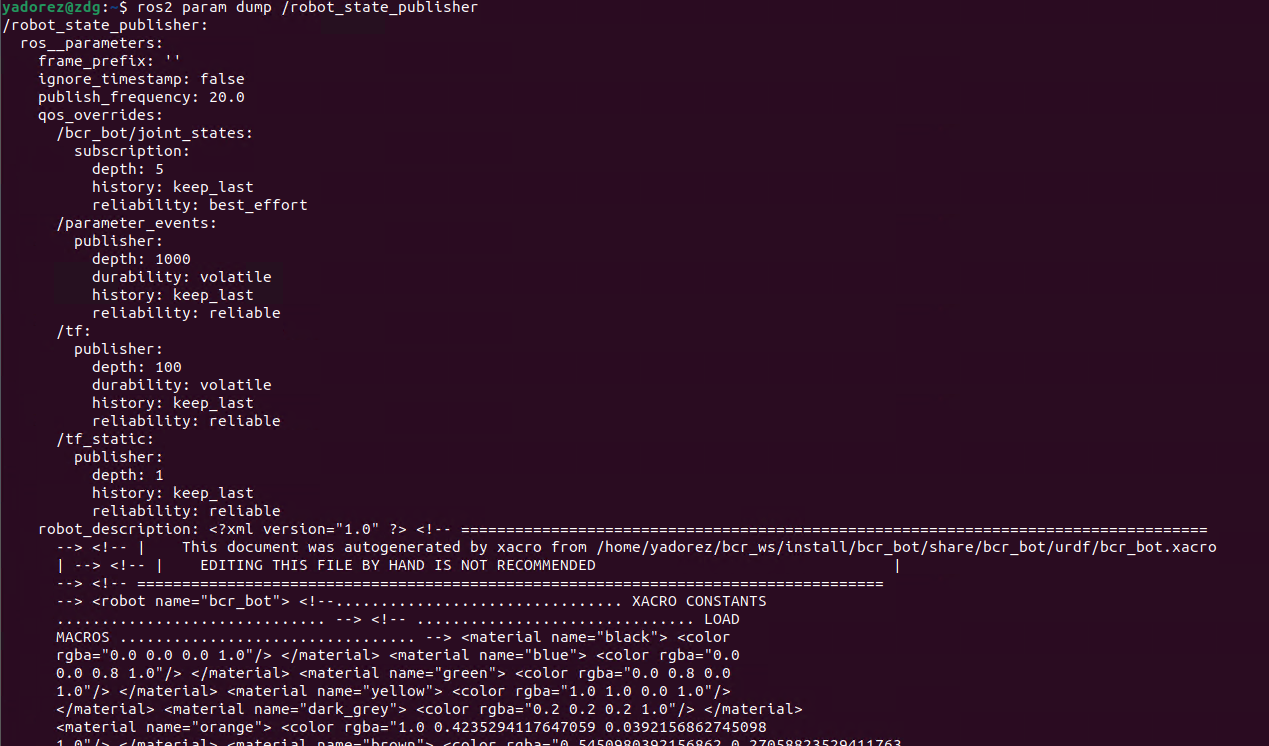
The param dump allows us to read every parameter on the node and prints them in a structured YAML block.
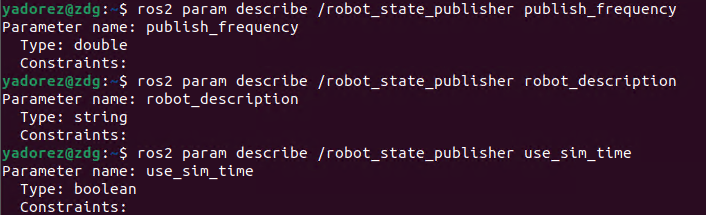
The describe for param is to read what the parameter is allowed to be, it tells the metadata and constraints. On the image, you can see the type and constratins.
I’ll end my blog for this topic on just reconnaisance phase. I am quite getting confused on how to do the Parameter abuse: functional DoS without a crash since I was suppose to use use_sim_time by setting it to false and currently it is already set to false whenever I launch the bcr_bot. So yes, I’ll end this topic up to this for now and create another for the parameter abuse.