
Learning Eavesdropping on ROS2
On my previous post, I studied about ROS2 Topic Injection with Gazebo. This time, I’ll try to add new stuff I learned and it is about eavesdropping. So eavesdropping is basically reading on what the robot senses or does. For this one, with zero credential since the default ROS2 DDS has no authentication. So before any injection, this should be done first to learn what is the message format is and publish rates so your injection command will look legitimate.
The installation and setup part is done on my previous post so I won’t be including it here. So to begin with this one, I run the command below to start the bcr_bot:
source ~/bcr_ws/install/setup.bash
ros2 launch bcr_bot ign.launch.py
Next is I wanted to make it move first, so I run this command on my second terminal:
ros2 topic pub /bcr_bot/cmd_vel geometry_msgs/msg/Twist "{linear: {x: 0.5}, angular: {z: 0.3}}"
Now that everything is up and running, I proceeded with enumeration and fingerprinting. I run the command below to list all possible topic first.
ros2 topic list
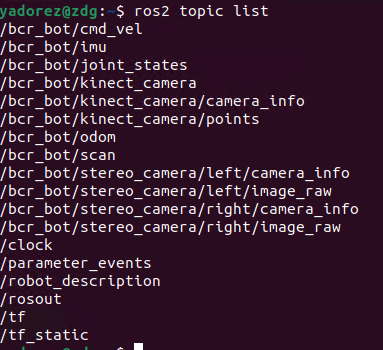
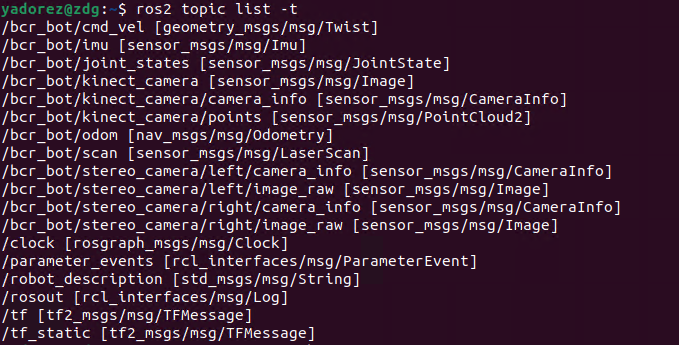
In this image, I was able to see all possible topic I can attempt to interact with. I can append -t or --show-types to know about the data structure the lists of topics uses.
Knowing about the command to show the data structure, we can try it on /bcr_bot/cmd_vel which we are using to tell the robot to move. Simply run the command ros2 interface show geometry_msgs/msg/Twist
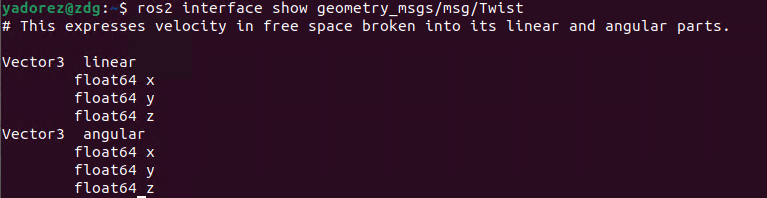
We can see on this image why we use linear and angular on the publish command to make the robot move.
Now that we know how to list the topics, we can proceed with interacting with the topics to get information about the robot. One that stood up to me when I run this is the /bcr_bot/kinect_camera, my first thought is to be able to see what the robot is seeing is without authentication is scary, so I decided to try that one. I run the command below to have the visual of what the robot see.
ros2 run rqt_image_view rqt_image_view
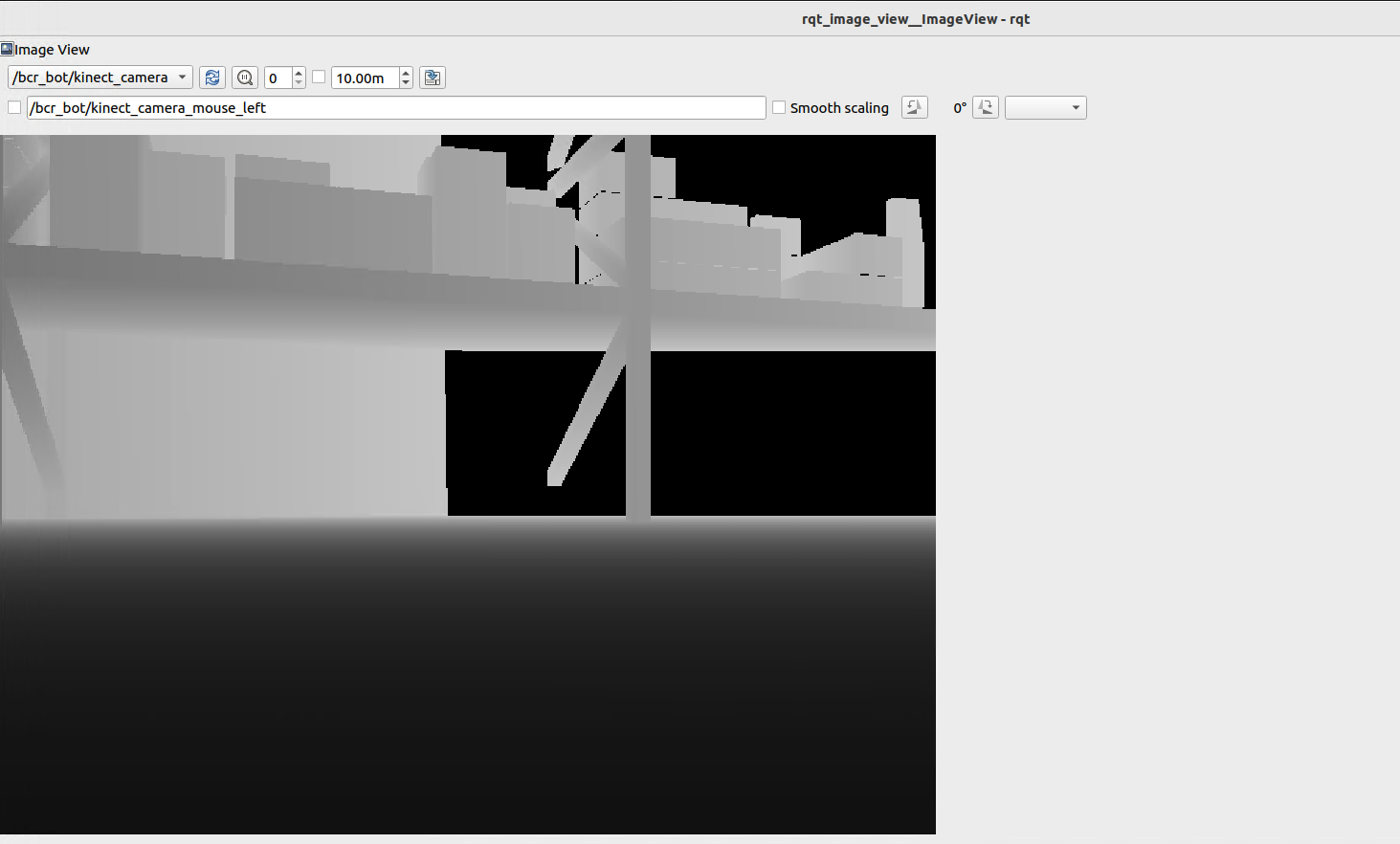
This is the image showing what the camera topic is leaking as of the moment, if the robot is moving, this image viewer is also moving. We can confirm the encoding of the kinect_camera by running the command ros2 topic echo /bcr_bot/kinect_camera --field encoding --once. The result here is 32FC1 which turned out to be a depth image not a normal RGB feed. For depth image, each pixel encodes distance not color.
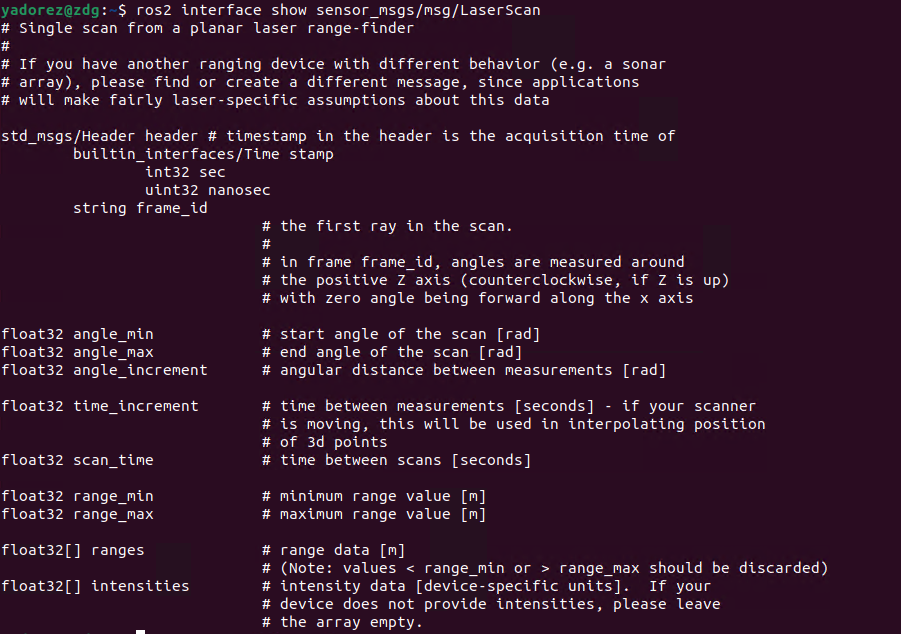
Now that I was able to get my curiousity of what the camera topic contains, I proceeded with other stuff. Next is the /bcr_bot/scan, since this is my next target, I needed to do the stuff I did before which is run the command ros2 interface show sensor_msgs/msg/LaserScan to know the description and field on this structure.
Next is I run the command ros2 topic info /bcr_bot/scan -v to understand the QoS profile. This is important as this is the policies on how messages get delivered. If the publisher and subscriber’s profile are incompatible, no connection forms and there will be zero data flows even if the topic is unauthenticated.
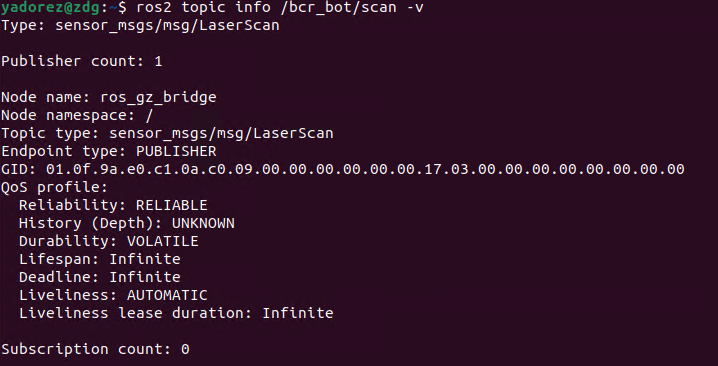
Here is the result of running the command. A thing worth noting here is the Reliability with the value RELIABLE which means the publisher guarantee delivery, retransmitting lost packets. The other value is BEST_EFFORT which is fire and forget, drop frames under load. So if a subscriber is RELIABLE, it cannot connect to a BEST_EFFORT publisher. Since scan is RELIABLE, I can run the command ros2 topic echo /bcr_bot/scan. Another stuff worth noting here is the Durability with the value VOLATILE which means a subscriber can only get the message after they connect, no history replay unlike the other value TRANSIENT_LOCAL which canches the last N messages and delivers to late joining subscriber. We can also see Subscription count here to see how many are currently listening.
The /bcr_bot/scan is the robot’s LiDAR it scans what is around it, we can run the command ros2 topic echo /bcr_bot/scan --once.
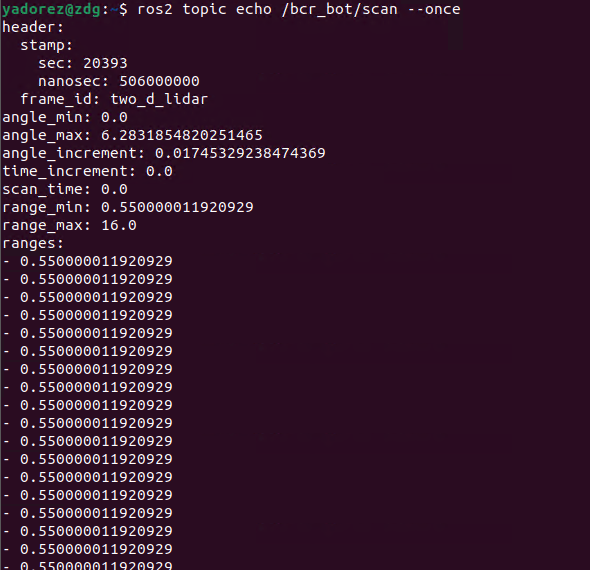
This is the result of the scan, I haven’t fully understand the result here but technically this tells where it will start scanning the range it will scan, the angular steps between consecutive readings. So basically, if I am someone mapping the environment to where the robot is, this is where I’ll be looking at if I don’t have any camera access.
I guess this one should be fine for the eavesdropping part. I was able to build a methodology to do it, which is enumerate first using ros2 topic list -t then gather the information of the structure using ros2 interface show <type> and then ros2 topic info <topic> to understand the QoS profile before proceed to other stuff like doing ros2 topic echo to print live messages.